

At its most basic, a wireless microphone with speakers is a neat, all-in-one audio solution. It bundles a microphone (the transmitter) with a speaker that has a receiver built right in. This clever integration gets rid of the connecting cables, giving you total freedom to move around while amplifying your voice. It’s simply the most straightforward way to go from just speaking to being properly heard.
What Are Integrated Wireless Audio Systems?
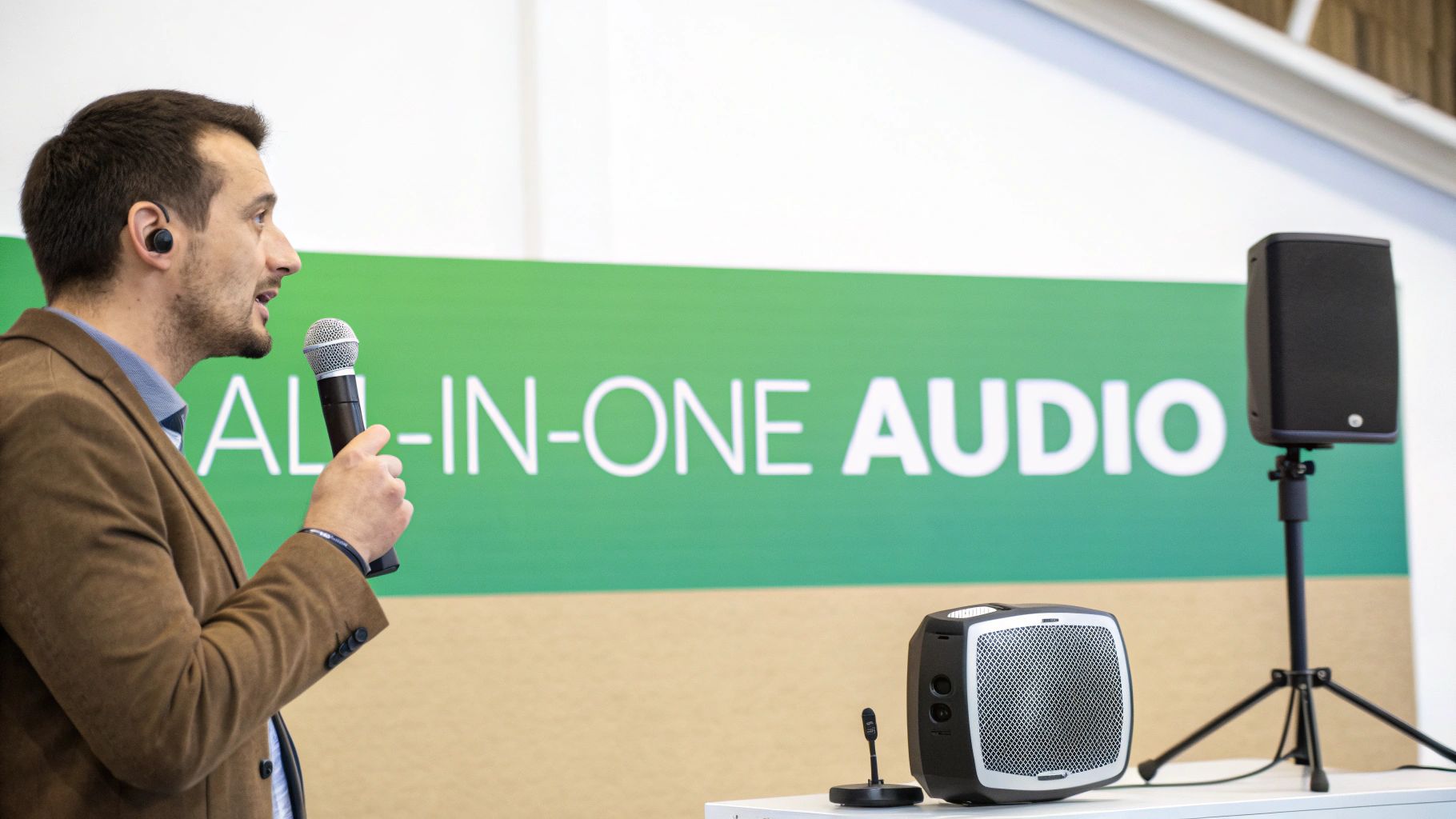
Picture yourself giving a presentation, but you're physically tied to the speaker by a short lead. Every single step is a risk, and your attention is split between delivering your message and not tripping over a wire. Integrated wireless microphones with speakers completely remove this headache by combining all the key bits of a public address (PA) system into one cohesive package.
So, instead of wrestling with separate microphones, mixers, amplifiers, and speakers, these systems offer a truly streamlined experience. Your voice is picked up by the microphone, which essentially acts as its own tiny radio station, or transmitter. It converts the sound of your voice into a radio frequency (RF) signal.
That signal then zips through the air to a receiver built directly into the speaker cabinet. The receiver’s only job is to listen for that specific signal, change it back into an audio signal, and feed it to the internal amplifier, which then powers the speaker. The result? Instant, cable-free amplification.
The Core Components
This bit of audio magic relies on a few key parts working together in perfect sync. While the exact designs can vary, pretty much every system will have these:
- The Transmitter: This is usually the microphone itself. It might be a handheld unit, a bodypack connected to a small lapel mic, or a headset. Its one and only job is to broadcast your voice as a radio signal.
- The Integrated Receiver: Tucked away inside the speaker, this is the ‘ears’ of the operation. It’s tuned to listen for the precise frequency your transmitter is broadcasting on.
- The Amplifier and Speaker: As soon as the receiver has decoded the audio, the built-in amplifier gives it a power boost, driving the speaker cone to create the final sound that reaches your audience.
This all-in-one design is what truly defines these integrated systems. It cuts out multiple potential points of failure and makes setup an absolute breeze, putting professional-sounding audio within reach of everyone from fitness instructors to event organisers.
Getting your head around this fundamental flow—transmitter to receiver, then amplifier to speaker—is the first step to mastering these powerful audio tools. It gives you the solid foundation you’ll need as we dig into the different types of systems and the technical specs to look out for, helping you choose the perfect solution for any job.
What Are the Main Types of Wireless Audio Systems?
Let's get one thing straight: choosing a system that combines wireless microphones with speakers isn’t a one-size-fits-all deal. The right solution for a mobile DJ is worlds away from what a high-end hotel needs. To nail the perfect choice for your venue or event, we need to explore the main categories out there.
Each type is built for a specific job. Some are designed for ultimate freedom and portability, while others prioritise discreet looks and seamless integration. Understanding these core differences is the first step to making a smart investment.
Portable PA Systems: The All-in-One Powerhouses
Think of a portable PA system as the ultimate audio toolkit you can grab and go. These units are built from the ground up for mobility, often kitted out with rechargeable batteries, wheels, and a handle you can pull out. Everything you need—the speaker, amp, mixer, and the wireless mic receiver—is packed into one tough cabinet.
This all-in-one design makes them an absolute favourite for:
- Mobile DJs and Entertainers: When getting set up and packed down quickly is everything. For a deeper dive into DJ setups, check out this ultimate guide to DJ sound solutions.
- Fitness Instructors: A battery-powered system means you can run a class anywhere, from the studio to the local park, without a second thought for power sockets.
- Public Speakers and Presenters: Perfect for community halls, outdoor events, or any temporary gig where you just need to get up and running fast.
The biggest win here is pure convenience. You can be ready to broadcast clear, powerful sound in minutes, completely free from a mess of cables. If that kind of flexibility sounds right, you can see it in action by learning about models like the Malibu portable PA system can provide great insights.
Column Array Systems: Sleek and Sophisticated Sound
When looks matter just as much as audio quality, column array systems are the way to go. These systems pair a slim, vertical tower packed with small speaker drivers with a separate subwoofer base. Crucially, the wireless microphone receiver is often built right into that base unit, keeping things tidy.
The secret to a column array's performance is physics. It projects sound further and more evenly across a space than a single traditional speaker. This means the volume is consistent whether you're at the front or the back of the room, giving everyone the same great experience.
This sophisticated, clean look makes them the ideal choice for corporate events, houses of worship, and smaller live music gigs where you can't compromise on style.
To make picking the right system a bit easier, here’s a quick breakdown of how these different types stack up against each other.
Wireless System Types and Ideal Use Cases
| System Type | Key Features | Best For | Primary Benefit |
|---|---|---|---|
| Portable PA | All-in-one unit, battery-powered, wheels/handle | Mobile DJs, fitness instructors, outdoor events | Ultimate convenience and portability |
| Column Array | Slim vertical speaker, separate sub, integrated receiver | Corporate events, houses of worship, live music | Wide, even sound coverage and sleek aesthetics |
| Ceiling/Wall Integrated | Discreet, permanently installed speakers, central receiver | Retail stores, hotels, restaurants, corporate offices | Invisible audio for background music and paging |
| Voice Alarm (EN54) | EN54-certified, rugged, emergency-ready | Airports, shopping centres, schools, public venues | Life safety, reliability, and regulatory compliance |
As you can see, the 'best' system really just depends on what you're trying to achieve and where you're doing it.
Integrated Ceiling and Wall Solutions: The Invisible Approach
For permanent installations where you need audio to be heard but not seen, integrated solutions are the only real answer. This means speakers mounted flush into the ceiling or onto walls, with the wireless microphone receivers wired back to a central amplifier or mixer, usually tucked away in a rack room.
These systems are the absolute backbone of commercial audio. Think retail shops, hotels, and restaurants. They provide seamless background music and, just as importantly, let staff make crystal-clear announcements with a wireless mic without ruining the atmosphere. It’s all about keeping the focus on the customer experience.
Voice Alarm Compliant Systems: Mission-Critical Safety
In large public buildings like airports, shopping centres, and schools, the audio system has a much more serious responsibility. Here, Voice Alarm (VA) systems are often a legal requirement, designed to work without fail during an emergency to guide evacuations.
These specialised wireless microphones with speakers systems must be certified to the tough EN54 standard, a guarantee that they'll hold up under extreme conditions. While they handle daily announcements just fine, their primary job is protecting lives. This makes them a highly regulated and critical category, and it's a market seeing solid growth with a projected CAGR of around 6.7% in the UK and Europe.
Decoding Key Specifications and Features
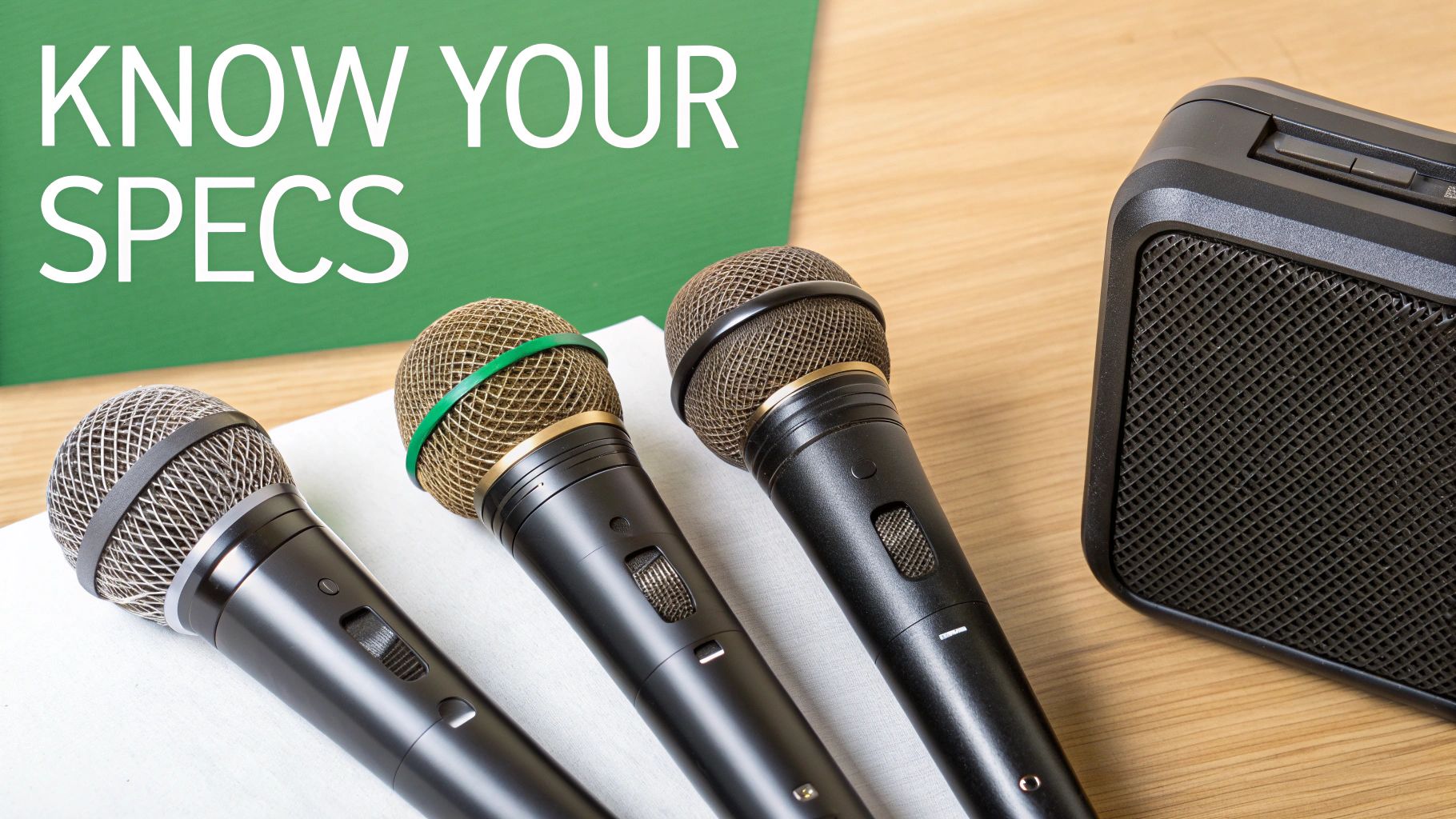
Choosing the right system of wireless microphones with speakers means you've got to look past the marketing hype and get to grips with the technical specs. Learning this stuff is like learning the language of audio; it lets you translate a list of numbers and jargon into a clear picture of how a system will actually perform in the real world.
This isn't about becoming an audio engineer overnight. It's about spotting the key specs that have a direct impact on sound quality, reliability, and usability, so you can invest in gear that genuinely meets your needs without overspending on features you'll never touch.
Microphone Types: The Right Tool for the Voice
The microphone is where your voice enters the system, and different styles are built for different jobs. Getting this choice right makes a massive difference to both sound quality and user comfort.
- Handheld Microphones: These are the classic, workhorse mics you see singers and presenters using. They’re brilliant for interviews, speeches, and live vocals where the mic might get passed between people. Their durability makes them a go-to for countless events.
- Lavalier (Lapel) Microphones: These tiny clip-on mics are all about hands-free operation. Because they're so discreet, they are perfect for corporate presentations, theatre, and broadcast interviews where you want the tech to just disappear.
- Headset Microphones: Offering the best of both worlds, a headset combines the hands-free convenience of a lavalier with the consistent, punchy sound of a handheld. The mic capsule stays at a fixed distance from the user's mouth, delivering fantastic vocal clarity. This makes them the top choice for fitness instructors, drummers, and presenters who are always on the move.
The UK market for these devices is growing fast. The demand for wireless audio gear, including wireless microphones with integrated speakers, is projected to expand at a CAGR of 23.1% between 2025 and 2033. Unsurprisingly, classic handheld models still command the lion's share, making up 49% of revenue in 2024, but the clip-on lavalier mics are showing the fastest growth.
RF Bands and Channels: Navigating the Airwaves
Your wireless system works by sending audio over radio frequencies (RF). Think of these frequencies as invisible motorways in the air. To avoid a traffic jam of interference, your system needs to find its own clear lane.
In the UK, Ofcom is the gatekeeper for which frequencies you can use. The most common licence-free space is the 863-865 MHz band. It's free to use, which is great, but it's also a shared space, meaning other wireless devices nearby could potentially cause interference.
For more critical jobs, you can get a licence for Channel 38 (606-614 MHz). This gives you a more protected and reliable slice of the airwaves, reserved for professional use.
Choosing a system with multiple selectable channels is a game-changer. It gives you the flexibility to scan for a clean, open frequency, massively reducing the risk of audio dropouts and interference from other systems operating nearby.
Range, Latency, and Power Output: Performance Metrics That Matter
These three specs are the holy trinity of performance for any wireless audio system. You have to get them right for a professional result. It's non-negotiable.
Operating Range is the maximum distance the mic can be from the receiver before the signal gets shaky. Be realistic here; the manufacturer's stated range is usually based on perfect, open-field conditions. In a real-world venue with walls, people, and other obstacles, expect that number to be lower.
Latency is that tiny delay between speaking into the mic and hearing the sound from the speaker. For any kind of live performance or public speaking, anything above 10-15 milliseconds (ms) can become noticeable and really off-putting. High-quality digital wireless systems aim for ultra-low latency, often below 4ms, which is virtually impossible for the human ear to detect.
Power Output and SPL dictates just how loud your system can go. Power is measured in Watts, but the more useful figure is the Maximum Sound Pressure Level (SPL), measured in decibels (dB). This tells you the actual volume the speaker can kick out. A small meeting room might only need 100-110 dB SPL, but a mobile DJ playing to a small crowd will want a system capable of hitting 120 dB SPL or more. If you'd like a deeper dive, check out our complete guide to professional PA speaker systems.
Essential Features and Advanced Capabilities
Beyond the core performance specs, a whole host of other features can make your life a lot easier.
- Battery Life: For any portable system, you should be looking for a minimum of 6-8 hours of continuous use from both the microphone transmitter and the speaker itself.
- Input/Output (I/O) Flexibility: A good system needs options. Look for XLR or combi-jack inputs for other mics, a 3.5mm aux input for playing music from a phone, and maybe even Bluetooth for easy streaming.
- Built-in Mixing and DSP: More advanced systems often include a small mixer on the back, letting you balance the levels of your wireless mic, a wired mic, and a music source. Digital Signal Processing (DSP) can add that professional polish with features like EQ presets and automatic feedback suppression.
Getting your head around these details is the key to making a smart purchase. For a wider view on what to consider for any event, it’s also worth consulting guides on essential technical information for event equipment.
Choosing the Right System for Your Application
Knowing the tech specs is one thing, but actually connecting them to a real-world job is how you make a smart decision. The best wireless microphone and speaker system isn't the one with the most bells and whistles; it’s the one with the right features for what you need it to do. This is where we stop talking theory and get practical.
Let’s walk through a few common scenarios. By matching your day-to-day needs to the strengths of different systems, you can pick gear that will just work, delivering real value from the moment you unbox it.
Mobile DJs and Entertainers
If you're a mobile DJ or entertainer, your stage is wherever you set up, and your gear has to be ready for anything. The game here is all about speed, power, and freedom from the mains plug. You need a system you can get running in minutes, that’s loud enough for a small hall or garden party, and can go all night on its own.
This is the natural territory of the all-in-one portable PA system. Things to look for are:
- Serious Battery Life: Aim for systems offering 8-12 hours of runtime. That's enough to cover an entire event without you frantically searching for a power socket.
- Decent Power Output: You'll want something capable of at least 120 dB SPL to cut through the chatter and get the music pumping.
- Built for the Road: Features like built-in wheels, a pull-out handle, and a tough-as-nails enclosure aren't just nice-to-haves; they're essential for a life on the move.
A DJ needs a workhorse. It has to be quick to set up and loud enough to get the party started. A sleek column array might look cool, but it probably won't have the raw punch or the battery stamina for a four-hour wedding set in a marquee.
Small Venues and Houses of Worship
In fixed spots like a local pub, a small music venue, or a house of worship, the priorities change. It's less about sheer volume and more about vocal clarity and making sure the sound spreads evenly. The aim is for every word of a sermon or every lyric to be heard perfectly, whether you're in the front row or right at the back.
Here, intelligibility is king. A system that throws sound evenly means people at the front aren't deafened while those at the back are straining to hear. This is where the controlled sound spread of a column array system really comes into its own.
Their slim profile means they don't stick out like a sore thumb, and their design with multiple small drivers creates a wide, consistent field of sound. Having the wireless receiver built-in also keeps the stage or lectern area clean and free of cable spaghetti, which always looks more professional.
Retail and Hospitality Environments
For shops, hotels, and restaurants, sound is a massive part of the customer experience, but it needs to be almost invisible. The system has to reliably play background music to create the right atmosphere, but also be ready for crystal-clear announcements.
This is where integrated ceiling and wall speaker solutions shine. Their biggest advantage is that they disappear into the decor, giving you great audio coverage without ruining the look of the place. A wireless handheld or desktop mic gives a manager the freedom to move around while making announcements, making operations smoother without being tethered to one spot. It’s all about a central system that can balance ambient music with clear, authoritative voice paging when needed.
Education and Corporate Settings
Flexibility is the name of the game in schools, universities, and boardrooms. The same system might be needed for a lecture in the morning, a video presentation at lunch, and a full-on assembly in the afternoon. The audio setup has to be adaptable and, crucially, simple to use.
Portable PAs with plenty of inputs (especially Bluetooth for playing media) are a fantastic choice for multi-purpose rooms. For bigger lecture theatres or training centres, a more permanent install of column arrays or wall speakers linked to a central system is the way to go. This allows for multiple wireless mics – one for the main presenter and a handheld one for audience Q&A – creating a much more interactive and engaging session. The UK’s bustling entertainment and corporate sectors are big users of this kind of tech, part of a global industry worth around USD 3.1 billion in 2024. You can check out the full report on the global wireless microphone market at iMarc Group.
Essential Installation and System Design Tips
Owning a professional-grade wireless microphone and speaker setup is one thing; getting it to perform flawlessly is another. The real magic happens during installation and system design. Nailing these fundamentals is what separates crystal-clear, professional sound from an event riddled with dropouts, hiss, and patchy coverage.
This isn't about needing a degree in audio engineering, but rather applying a few core principles. Once you get your head around radio frequency (RF) planning, speaker placement, and gain structure, you can make your system sing every single time. It gives you the confidence to just focus on your presentation or performance.
Mastering Radio Frequency Planning
Picture the air around you as a busy motorway, humming with invisible signals from Wi-Fi, mobile phones, and countless other wireless gadgets. Your wireless mic has to find a clear, open lane on this motorway to get its signal cleanly to the speaker. That's exactly what RF planning is all about.
Before any gig, you absolutely have to run a frequency scan. Thankfully, most professional wireless systems have this built right in. With one press of a button, the receiver sniffs out the local RF traffic and pinpoints the cleanest, quietest channel for you to use.
A classic rookie mistake is just switching a system on and hoping the default frequency works. In a busy city or a venue with other wireless gear running, that's a recipe for disaster. Always, always scan for a clean channel.
Another simple but crucial habit is to keep a clear line of sight between the microphone's transmitter and the receiver's antenna. People, metal beams, and even thick walls can block or bounce RF signals all over the place. Make sure the receiver can "see" the transmitter for the strongest possible link.
Strategic Speaker Placement for Optimal Coverage
Where you put your speakers dramatically changes what the audience actually hears. The aim is simple: deliver clear, even sound to everyone, without creating deafeningly loud hotspots or frustratingly quiet dead zones. A little forethought here goes a very long way.
- Elevate Your Speakers: Get them up on stands. Putting speakers at or above head height lets the sound sail right over the crowd, reaching the people at the back of the room far more effectively.
- Avoid Reflective Surfaces: Try to keep speakers away from big, hard surfaces like glass windows or bare concrete walls. These act like mirrors for sound, creating messy echoes that can kill vocal clarity.
- Angle for Coverage: If you're in a wide room, angle two speakers slightly outwards. This "splaying" technique helps create a much broader sound field, covering the sides of the room without blasting the people in the middle.
Setting Correct Gain Structure
Gain structure is probably the single most important—and most misunderstood—part of setting up any sound system. It's simply the art of setting the volume correctly at every step in the signal chain, from the mic to the speaker. Get it right, and you get loud, clean audio. Get it wrong, and you get a mess of distortion and noise.
Think of it like a hosepipe with a tap at the start and a nozzle at the end. If you crank the first tap (the mic gain) on full blast, the hose overloads and the water comes out in a turbulent, distorted spray. If you barely open it, you'll have to open the final nozzle (the speaker volume) all the way, which just amplifies the hiss and gurgle from inside the pipe.
Here’s a dead-simple way to set it:
- Set the Channel Gain: Speak or sing into the mic at the absolute loudest you will during the performance. Turn up the channel gain knob until the little signal meter is consistently hitting the yellow, just tickling the red (which means clipping, or distortion).
- Adjust the Master Volume: Now that the input level is perfect, use the main volume fader on your speaker or mixer to bring the overall sound up to the right level for the room.
That's it. Mastering that simple two-step process is the key. If you want to dive a bit deeper, our guide on getting the most from a digital mixer has some great insights that apply to pretty much any audio setup.
This decision tree shows how different systems of wireless microphones with speakers are suited for distinct commercial applications.
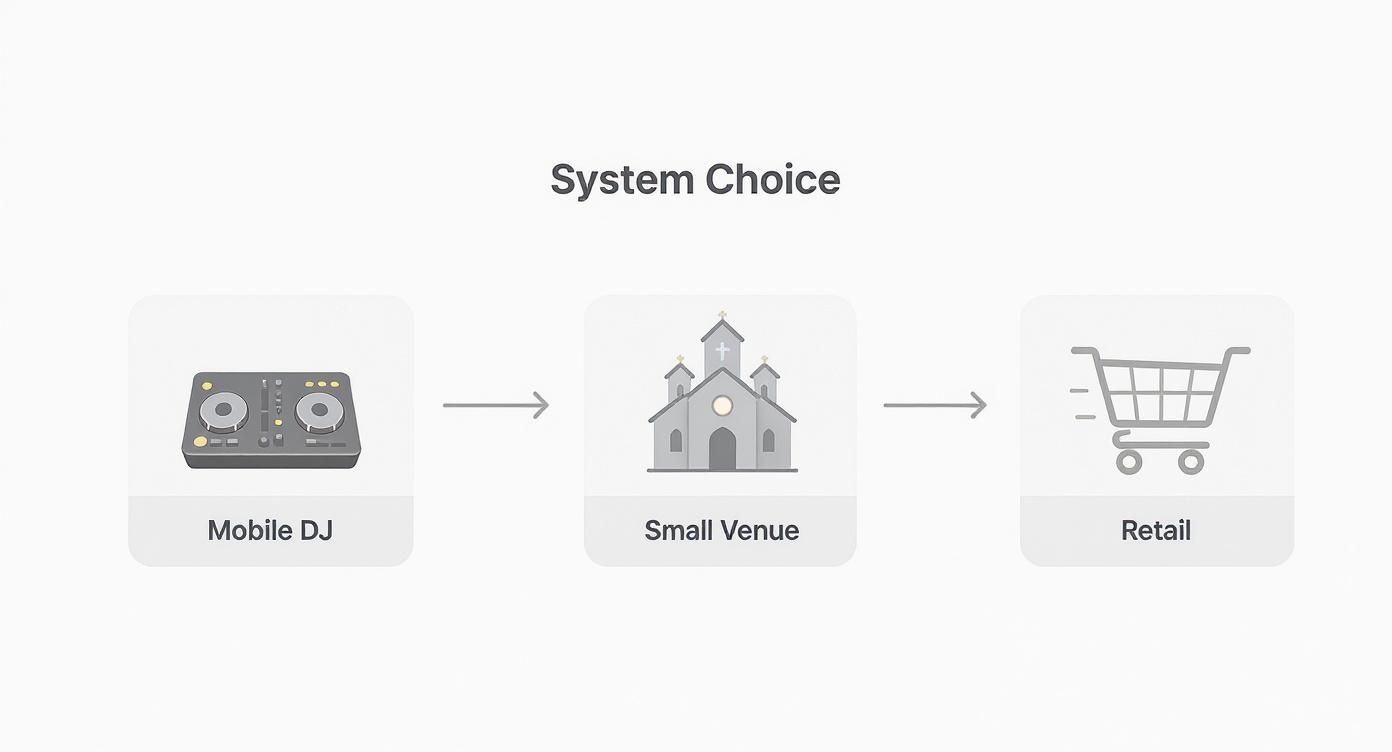
The visualisation clearly shows that the choice is driven entirely by the primary use case, whether that's mobility for a DJ or discreet audio for retail.
Troubleshooting Common Issues and UK Regulations
Even the most dependable wireless microphones with speakers can hit a snag. Knowing how to quickly find and fix common glitches is what separates a minor hiccup from a show-stopping disaster, keeping your event running without a hitch.
The good news is that most problems boil down to a handful of classic causes that are surprisingly easy to solve. With a bit of logical troubleshooting, you can get your sound back online in minutes and maintain a professional, uninterrupted experience for your audience.
Solving Common Audio Problems
Interference, feedback, and sudden audio dropouts are the usual suspects. Before you start to panic, run through these quick checks – they’ll solve the vast majority of wireless system faults.
- Audio Dropouts: This is almost always a signal strength issue. First, make sure you have a clear line of sight between the mic transmitter and the speaker's receiver. Also, double-check you're comfortably inside the system's stated range.
- Interference (Crackling or Hiss): If you're hearing unwanted noise, it's likely another device is operating on a nearby frequency. Use your system’s built-in frequency scanner to find a clean, open channel and switch over.
- Feedback (High-Pitched Squeal): This is the classic audio nightmare. It happens when the microphone picks up its own sound coming out of the speaker. The fix is simple: move the microphone further away from the speaker and never, ever point it directly at the speaker cone.
If there’s one golden rule, it’s this: always run a fresh frequency scan every time you set up in a new venue. The airwaves in a city centre are a world away from a rural village hall. This one step will prevent most interference issues before they even start.
Understanding UK Wireless Mic Regulations
Operating your wireless gear legally in the UK is non-negotiable for any professional. Ofcom is the referee of the radio spectrum, ensuring users don't interfere with each other, and you need to play by their rules.
There are two main bands you need to be aware of:
- Licence-Free Operation (863-865 MHz): This small slice of the spectrum is a free-for-all. While it's convenient and costs nothing, it can get very crowded, making your signal more vulnerable to interference in busy urban areas.
- Shared Licence (Channel 38: 606-614 MHz): For more critical gigs, you can buy an affordable Ofcom UK Wireless Microphone Licence. This grants you access to the more protected Channel 38, massively reducing the risk of being knocked off-air by other users.
Frequently Asked Questions
Even with a good handle on the tech, some questions always pop up when you're getting hands-on with wireless microphones with speakers. We get these a lot from both clients and seasoned installers, so here are some straight-up answers to the most common queries.
What's the Real-World Range I Can Actually Expect?
That big number on the box? Think of it as a perfect-world scenario – measured in an open field with zero obstructions. In a real-life venue, you're going to get less.
Walls, a crowd of people, and even large metal structures will either absorb or bounce the radio frequency (RF) signals, which chips away at your effective range. A solid rule of thumb is to plan for around 60-70% of the manufacturer's stated range in a typical indoor space. For the most solid connection, always try to keep a clear line of sight between the mic and the speaker's receiver.
Do I Need a Licence to Use a Wireless Mic in the UK?
This is a big one, and getting it right is crucial for staying legal and avoiding interference. In the UK, Ofcom regulates the airwaves, giving you two main paths:
- Licence-Free (863-865 MHz): You can jump right onto this band without any paperwork or fees. It's super convenient, but it's also a bit of a free-for-all, so it can get crowded in busy areas, which increases your risk of interference.
- Shared Licence (Channel 38, 606-614 MHz): For a small annual fee, an Ofcom licence grants you access to this much more protected slice of the airwaves. This is the go-to for professionals and any critical event where you simply can't afford a dropout.
Can I Run Multiple Wireless Systems in the Same Room?
You absolutely can, but it's not quite plug-and-play. Running several wireless microphones with speakers in one space requires what we call frequency coordination. Put simply, each system has to be on its own unique, compatible frequency so they don't talk over each other.
The secret is to use systems that give you a choice of multiple channels. This lets you run a frequency scan on each receiver to sniff out a clean, unoccupied channel for each mic. It’s the only way to guarantee all your systems play nicely together without any drama.
How Do I Stop That Horrible Feedback Screech?
We've all heard it – that ear-splitting squeal is called feedback. It’s what happens when your mic picks up the sound coming out of its own speaker, creating a vicious audio loop that just gets louder and louder.
The easiest fix is all about positioning. Make sure the person with the mic isn't standing directly in front of or right next to the speaker. A classic rookie error is pointing the microphone directly at a speaker cone, so avoid that at all costs! As we covered earlier, getting your gain structure set up properly is also a massive part of keeping feedback from ever starting in the first place.