

Think of a digital mixer audio system as a dedicated, high-powered computer for sound. It takes analogue audio signals, converts them into digital data, and then lets you manipulate that data with incredible flexibility and precision. Unlike old-school analogue desks where every function has its own physical knob, a digital mixer uses a central processing engine to do all the heavy lifting – EQ, compression, complex routing, effects, you name it. And the best part? It can all be recalled in an instant.
From Analog Roots to Digital Revolution
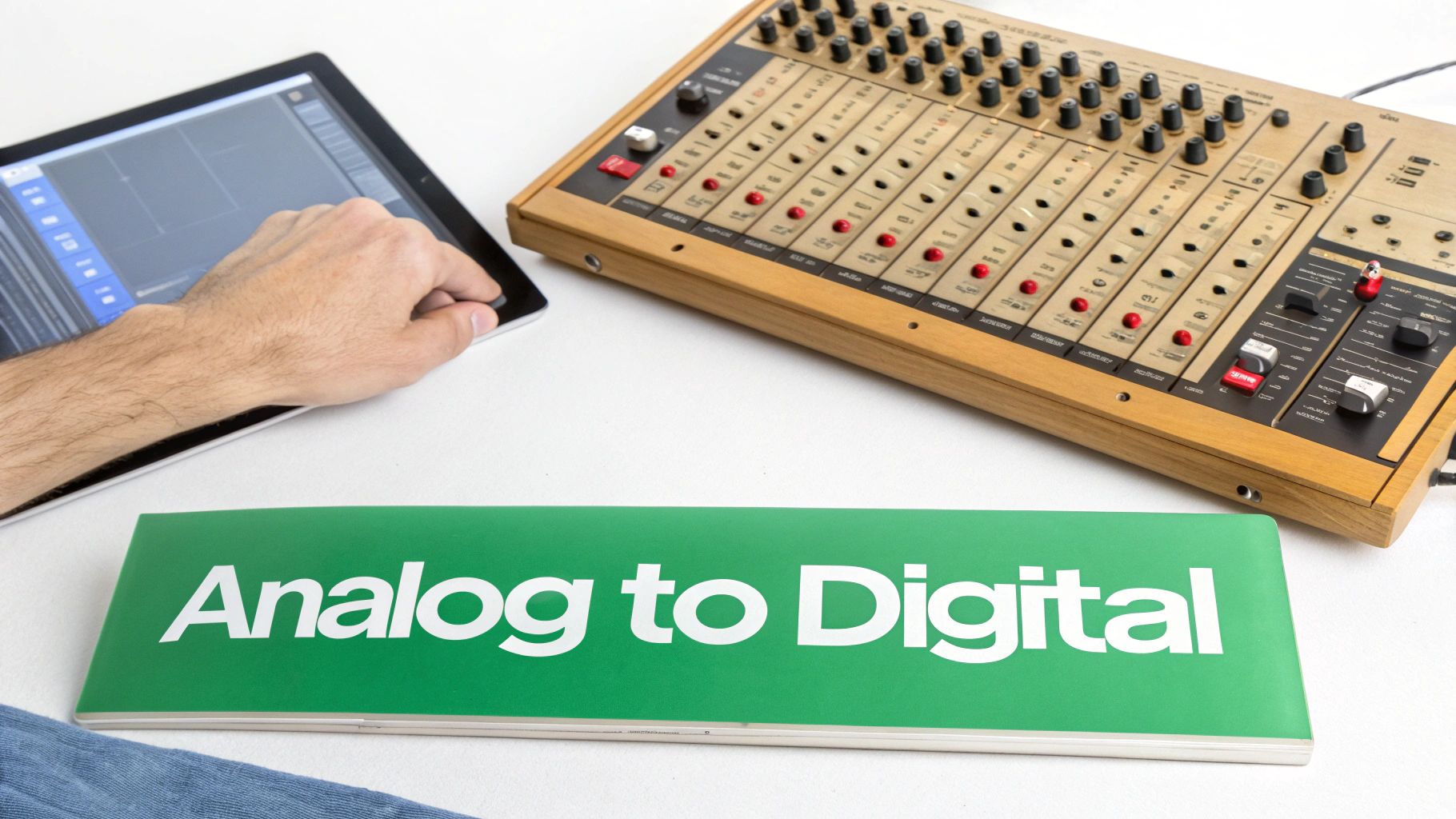
To really get your head around what a modern digital mixer can do, it helps to glance back at its roots. Picture an old telephone switchboard, where an operator had to physically plug a patch cable between two points to connect a call. In a nutshell, that was the world of analogue audio mixing.
Every single sound source, whether it was a microphone or a guitar, was a physical wire that had to be routed through its own dedicated channel strip on a massive console. Each knob for volume, tone, or effects was a separate electronic component in a long, complicated circuit. If you wanted to make a change, you had to physically turn a dial. Trying to repeat a setup meant painstakingly resetting hundreds of controls by hand, and you could never get it exactly the same twice.
The Shift from Circuits to Code
The digital revolution completely tore up that rulebook by turning sound into a language computers can understand: binary code. This whole process hinges on two key steps:
- Analogue-to-Digital Conversion (ADC): The smooth, continuous sound wave coming from a mic is measured thousands of times every second. Each tiny measurement is then converted into a number, creating a digital blueprint of the original audio.
- Digital Signal Processing (DSP): Once the audio is in this digital form, a powerful onboard processor—the DSP—can work its magic. This "brain" handles every adjustment, from EQ and dynamics to adding reverb, all without ever touching a physical signal path.
This is a fundamental change. Instead of pushing electricity through countless circuits, a digital mixer is just routing data. It’s like the difference between posting physical letters (analogue) and sending emails (digital). The digital way is infinitely faster, more flexible, and perfectly repeatable, every single time.
This transition from physical wires to streams of data has been the single most important development in modern audio engineering, unlocking capabilities that were once unimaginable in the analogue domain.
Unlocking Unprecedented Control
Moving to a data-centric workflow brings enormous practical benefits. Complex signal routing that would have once needed a rat's nest of patch cables can now be done with a few taps on a screen. Every single setting on the console can be saved as a "scene" or "snapshot" and recalled instantly – a feature that has totally changed the game for live sound at festivals and multi-band gigs.
This digital revolution also had a massive impact on audio production, giving us incredibly powerful tools. To truly grasp this shift, it's essential to understand what a Digital Audio Workstation is. That core technology really laid the groundwork for the modern workflows that define professional audio today.
What Makes a Digital Mixer Tick? The Core Features
The real magic of a digital mixer isn't just that it handles audio as ones and zeros; it's the incredible toolkit this unlocks. While an analogue desk has every knob and fader laid out right in front of you, a digital mixer audio system crams an entire recording studio's worth of equipment into one, recallable package.
Let's break down the features that form the heart of these powerful consoles.
At its most basic, any mixer is about getting audio signals in and sending them back out. We call this Input/Output, or I/O. But where analogue desks are stuck with a fixed number of physical sockets, digital systems offer unbelievable flexibility. Many modern consoles let you expand their I/O with stage boxes connected by a single, simple network cable, allowing your microphone inputs to be on stage while the mixer sits hundreds of feet away at the back of the room.
The Digital Brain: Digital Signal Processing (DSP)
Once an audio signal enters the mixer and gets converted into digital data, it heads to the central processing unit—the DSP. Think of the DSP as a master craftsman's workshop tucked inside the console. And for every single channel, this workshop gives you a complete set of precision tools.
This goes way beyond a simple volume fader and a few tone knobs. A typical digital channel strip comes loaded with:
- Multi-band Parametric EQ: This gives you surgical control over frequencies, letting you carve out problematic feedback with pinpoint accuracy or boost the warmth in a vocalist's microphone.
- Dynamics Processing: Every channel gets its own compressor to tame wild volume swings and a noise gate to silence unwanted background hiss from open mics.
- Effects Engine: Forget lugging around racks of external reverb and delay units. A digital mixer has high-quality effects built right in, ready to be assigned to any channel you choose, all from the same screen.
The switch to digital mixing has happened fast across the UK and Europe. While some old-school engineers still love the character of analogue gear, digital mixers now dominate the market because of their sheer power and control. In fact, projections show the European mixing console market is set to grow by 6% to 8% annually, a trend driven almost entirely by the flexibility of digital systems. You can find more detail on this market shift over at futuremarketinsights.com.
Analog Mixer vs Digital Mixer Feature Comparison
To really understand the leap forward that digital mixers represent, it helps to see a direct comparison. The table below lays out the key differences in features and workflow between traditional analogue desks and a modern digital audio system.
| Feature | Analog Mixer | Digital Mixer Audio System |
|---|---|---|
| Channel Processing | Limited, often just basic EQ and pan. | Extensive per-channel DSP (EQ, compression, gating). |
| Effects | Requires external hardware units for reverb, delay etc. | High-quality effects are built-in and assignable. |
| Routing | Physical patching required for complex signal paths. | Flexible internal digital routing, easily changed. |
| Recallability | None. All settings must be reset manually. | Full "Scene Memory" allows instant recall of all settings. |
| Control | Physical knobs and faders only. One-to-one function. | Physical controls plus remote control via tablet/laptop. |
| Footprint | Large and heavy, especially for high channel counts. | Compact and lightweight, managing high channel counts. |
| Expandability | Fixed I/O. Adding channels means a bigger desk. | I/O can be expanded remotely using stage boxes. |
As you can see, while both achieve the same fundamental goal of mixing audio, the digital approach offers a level of power, convenience, and flexibility that an analogue board simply can't match.
Scene Memory: The Power of Perfect Recall
Perhaps the single most game-changing feature of a digital mixer is scene memory, sometimes called snapshots. Imagine taking a perfect sonic photograph of your entire mix—every fader level, every EQ curve, every effects setting—and being able to save it. That's a scene.
With a single button press, an engineer can instantly recall a complete console configuration. This ability to save and load entire mixes has fundamentally changed live sound workflow, eliminating the need to manually reset hundreds of knobs between performers.
For a festival with multiple bands, a house of worship with different service styles, or a theatre show with dozens of sound cues, this feature is an absolute lifesaver. It guarantees consistency and shaves a huge amount of time off changeovers.
Remote Control: Mixing Without Wires
The final core feature is wireless remote control. Because everything happens in the digital domain, the physical control surface is really just an advanced "mouse" for the audio engine. This clever separation means you can extend that control to other devices.
Using a dedicated app on a tablet or laptop, an engineer can walk around the venue and tweak the mix from anywhere. This is a game-changer for a few key reasons:
- Mix from the Audience's Perspective: The engineer can stand in the "sweet spot" and hear exactly what the crowd hears, making adjustments on the fly.
- On-Stage Monitor Adjustments: Musicians can be given control of their own monitor mix from a smartphone on stage, giving them the power to dial in exactly what they need to hear.
- Simplified Operation: For places like hotels or conference centres, you can create a simple control panel on a tablet. This gives non-technical staff access to basic volume controls without overwhelming them with the full mixer interface.
This remote capability usually runs on standard network gear. Some mixers can even be powered over the same network cable that carries the control data—a technology you can learn all about in our guide to Power over Ethernet. It’s another example of how digital integration streamlines setup, reduces cable mess, and makes for a much cleaner and more efficient installation.
Understanding Audio Over IP and Dante Networks
What if you could replace that massive, heavy copper snake cable—often running hundreds of feet and weighing a ton—with a single, inexpensive Ethernet cord? That’s the simple but powerful promise of Audio over IP (AoIP) and networking protocols like Dante. It’s an approach that completely changes how we move audio from point A to point B.
Think of it like your office computer network. Instead of needing dedicated, single-purpose analogue cables for every single microphone, your audio signals are converted into tiny digital data packets. These packets then travel over the exact same standard network infrastructure—switches, routers, and Cat5e/6 cables—that your computers use. This unlocks a level of flexibility that was simply impossible with older point-to-point wiring.
How Audio Networking Works
The whole process is remarkably straightforward. An AoIP-enabled device, like a stage box or a digital mixer, takes an analogue audio signal and digitises it on the spot. It then wraps this digital information into network packets, each stamped with an address telling it exactly where to go.
These packets are sent out onto the network, where standard IT switches direct them to their destination. A receiving device then grabs the packets addressed to it, unpacks them, and converts the data back into a perfect replica of the original audio signal.
Audio over IP treats sound like any other data on a network. This fundamental shift from dedicated copper wires to shared digital infrastructure is the key to its immense scalability and routing freedom.
This diagram shows the basic flow of a signal within a digital mixer's audio system, from input through all the processing to the final output.
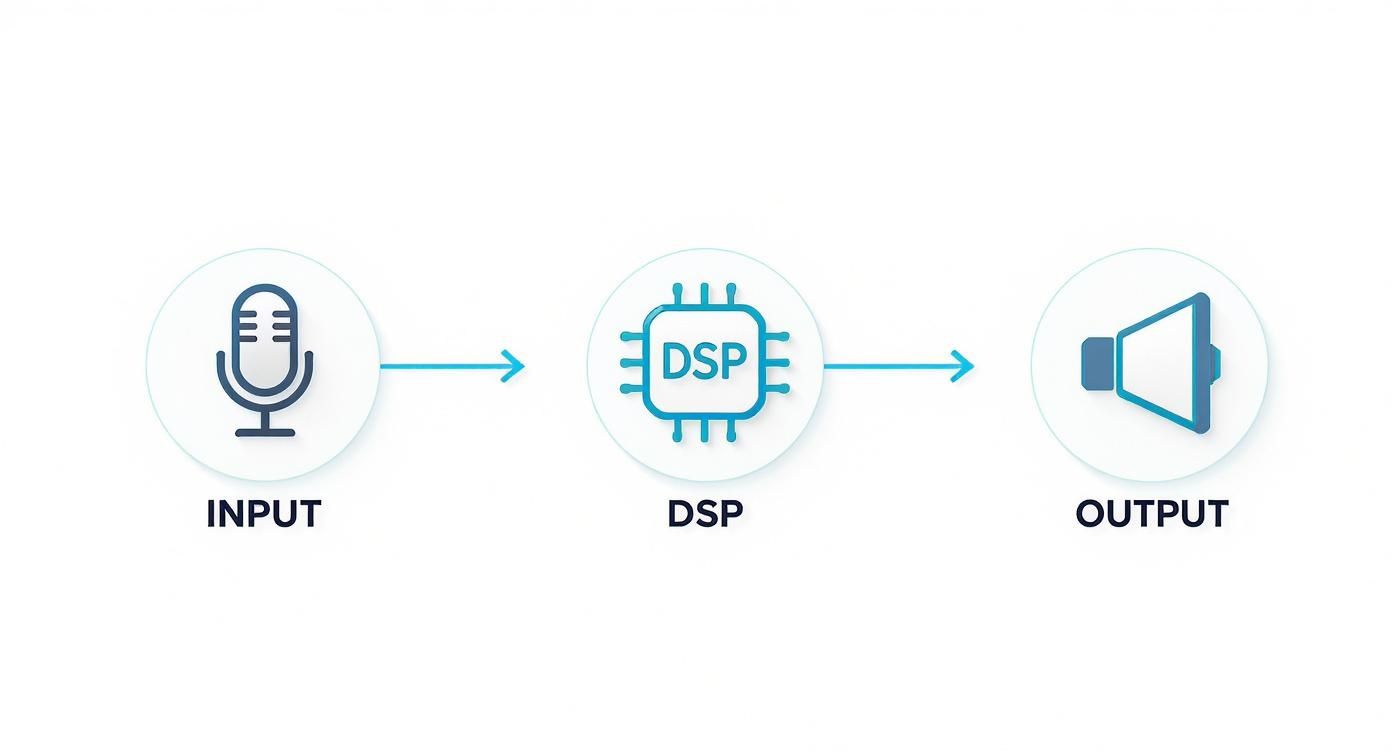
The key takeaway here is how AoIP digitises the signal right at the input stage. This allows the processed audio to be sent anywhere on the network before it ever reaches its final output destination.
Why Dante Became the Industry Standard
While there are a few AoIP protocols out there, Dante (developed by Audinate) has emerged as the clear industry leader. This is largely because it solved the biggest headache of audio networking: getting equipment from different manufacturers to actually talk to each other.
Dante’s technology handles all the complex networking jobs, like device discovery and clock synchronisation, automatically. This "plug-and-play" simplicity means an installer can connect a Dante-enabled microphone from one brand to a digital mixer from another, and they’ll just find each other on the network and start working. No manual configuration needed.
The benefits of building a system around Dante are huge:
- Simplified Wiring: You can drastically reduce the amount and weight of cabling needed for an installation or a tour. A single Ethernet cable can carry hundreds of high-quality, uncompressed audio channels.
- Limitless Scalability: Need to add more inputs or outputs? Just plug another Dante device into the network. The system can grow as your needs change without having to rewire the entire venue.
- Unmatched Flexibility: Any audio source can be routed to any destination on the network with a few mouse clicks in the Dante Controller software. This is perfect for multi-room venues, broadcast facilities, or complex stage setups.
Because of this ease of use and interoperability, over 500 manufacturers have adopted Dante, creating a massive ecosystem of compatible gear. If you’re looking to dive deeper, you can find a great overview of its real-world applications in our post on Dante audio over IP solutions from Monacor. This seamless integration has made Dante the go-to choice for large-scale audio systems in venues, houses of worship, and touring productions all over the world.
Digital Mixers in Real-World Scenarios
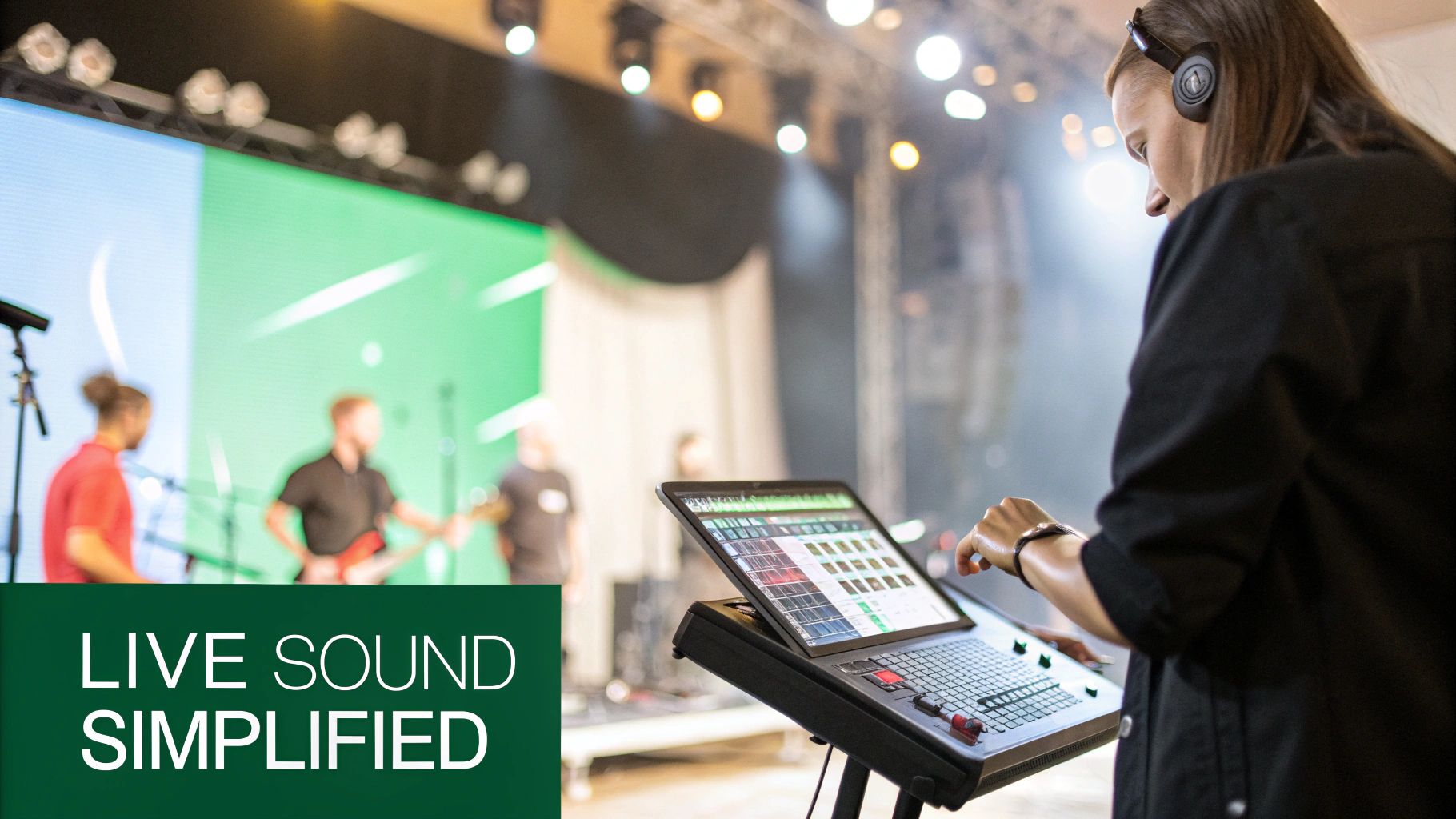
Knowing the features of a digital mixer is one thing, but seeing them solve real problems is where you truly understand their power. These consoles aren't just collections of knobs and faders; they are dynamic problem-solvers built for demanding audio environments. When you move past the tech specs and look at how a modern digital mixer audio system performs under pressure, their value becomes crystal clear.
Let's walk through a few everyday scenarios to connect the features we've discussed to real-world audio challenges. You'll see just how much these tools can empower engineers, volunteers, and facility managers alike.
The Live Music Venue Challenge
Picture a busy Saturday night at a local music club with three different bands on the bill. In the old analogue days, the changeover between acts was a frantic, high-stress dash. The sound engineer had to physically zero out the entire console and rebuild the mix for the next band from scratch, all while a paying audience was getting restless.
With a digital mixer, that chaos is replaced by calm, repeatable precision. During soundcheck earlier in the day, the engineer saved a complete "scene" for each band.
- Band 1: The engineer dials in their mix, complete with vocal effects, drum gate settings, and guitar EQ, then saves it as "Scene 1".
- Band 2: After their soundcheck, all their console settings are stored as "Scene 2".
- Band 3: Their unique monitor mixes and channel settings are locked in as "Scene 3".
Now, as the first band clears the stage, the engineer simply loads Scene 2. In less than a second, every fader, knob, and routing assignment snaps to the exact settings for the next act. This instant recall shaves precious minutes off changeovers, slashes the risk of setup errors, and guarantees each band kicks off their set with a fantastic, consistent sound.
The House of Worship Solution
Many houses of worship rely on volunteer audio teams who, while dedicated, might not have years of technical experience. They often need to manage sound for the congregation in the room, a separate mix for a live stream, and maybe audio for a foyer or nursery. On a traditional console, that level of complexity can be seriously daunting.
This is where remote control on a tablet becomes a complete game-changer. An experienced technician can do the initial setup, creating a simplified control screen just for the volunteers.
A custom user interface on an iPad can hide all the complex EQs and routing, presenting volunteers with only the essential controls they need: key microphone volumes, a playback fader, and a master volume for the main room and the broadcast.
This approach empowers volunteers to run a service confidently without being overwhelmed by a sea of buttons. They can even walk around the sanctuary during worship, adjusting levels on their tablet to make sure the sound is clear for everyone, not just from behind a big desk. The versatility of digital mixers also makes them a cornerstone for broadcasting, a crucial skill when figuring out how to start an internet radio station.
The Corporate and Hospitality Environment
Think about a large conference centre with a main ballroom, several breakout rooms, and a public reception area. The AV manager needs to send a keynote speaker's audio to all zones, then seamlessly switch to playing background music in reception while the breakout rooms get audio from local presentations.
A digital mixer with solid routing capabilities and Dante integration handles this with ease. Using a simple software interface, the manager can route any audio source to any destination. This kind of flexibility is essential for modern, multi-purpose venues. You can also seamlessly integrate sophisticated Dante-enabled tools, like the versatile EAM-17DT Dante microphone array system, to further improve audio capture and distribution across these networked systems.
This shift isn't just anecdotal. The UK's digital audio mixer market is a major part of a global industry set to grow from $1.27 billion in 2024 to an estimated $1.83 billion by 2035. This huge expansion shows just how essential these tools have become, with UK companies playing a key role in the market's future.
How to Choose the Right Digital Mixer
Choosing a digital mixer is a serious investment. It's the central nervous system of your entire audio setup, so getting it right is vital for your workflow, your sound quality, and your ability to grow in the future. This guide cuts through the flashy features and marketing noise to give you a solid framework for figuring out what you actually need.
The whole process starts with a clear-eyed look at your requirements—not just for today, but for where you'll be in a year or two. The goal is to land a digital mixer audio system that handles your current gigs and leaves you enough room to expand, saving you from a costly upgrade down the line.
Start with Channel Count and I/O
The most obvious place to begin is the channel count. How many microphones, instruments, and playback sources do you need to plug in all at once? It’s always smart to plan for expansion. If you need 16 channels today, grabbing a 24-channel desk gives you a comfortable buffer for adding more inputs later without having to replace the whole console.
And don't just think about the inputs on the back of the mixer itself. How are you going to manage all those connections on stage? A mixer that supports digital stage boxes—connected with a simple, lightweight Ethernet cable—can massively simplify your life. It cuts down on cable mess and keeps your signal quality pristine over long distances.
Choosing a mixer is about more than just numbers. It’s about finding a tool that fits your brain, allowing you to get from a creative idea to a sonic result as quickly and intuitively as possible. The right control surface should feel like an extension of your own hands.
This move towards flexible audio solutions is pushing some serious market growth. In fact, the global market for digital sound mixers is tipped to hit an estimated $371.5 million by 2025, and Europe is a huge part of that story. The UK's vibrant music, broadcast, and content creation scenes are fuelling this demand, with compact yet powerful digital mixers becoming the new standard. If you want to dive deeper into these trends, you can explore the full research on the digital sound mixer market.
Preamps and Audio Quality
Let’s be clear: not all mixers sound the same. The microphone preamplifiers (or preamps) are the very first—and most critical—link in your audio chain. Great preamps deliver clean, clear, and uncoloured gain, making sure the signal hitting the digital converters is as pure as possible. Cheaper ones can introduce noise or weird tonal shifts that no amount of digital processing can ever truly fix.
When you're checking out a mixer, look for reviews that specifically mention how the preamps sound. Words like "transparent," "warm," and "musical" are what you want to see. Also, pay attention to the headroom—that's how much level a preamp can take before the signal starts to clip and distort. Good headroom is essential if you want to cleanly capture dynamic sources like a powerful drummer or a belting vocalist.
Latency: The Silent Performance Killer
Latency is the tiny delay between a sound entering the mixer and coming out of the speakers or headphones. In small amounts, you'd never notice it. But too much latency is a disaster, especially for musicians on in-ear monitors. A delay of just a few milliseconds can completely throw off a performer's timing and pitch, making it incredibly difficult to stay in the pocket.
As you compare mixers, check the manufacturer's specs for system latency. Anything under 3 milliseconds from analogue input to analogue output is generally considered excellent for live monitoring. The professional-grade touring consoles often get this down below 2 milliseconds, which is a critical benchmark for high-pressure stage environments.
The Feel of the Control Surface
How you actually interact with the mixer is every bit as important as what's going on inside it. The control surface—the layout of faders, knobs, and screens—needs to suit the way you work. Some engineers want a dedicated fader for every single channel, while others are happy with a more compact, layered approach where faders can be assigned to different jobs.
Here’s what to think about:
- Screen Quality: Is the touchscreen responsive? Can you actually read it under stage lights or in bright daylight?
- Fader Feel: Are the motorised faders smooth and reliable, or do they feel cheap and jerky?
- Button Layout: Are critical functions like 'mute' and 'solo' right there where you need them, or are they buried three menus deep?
The best way to know for sure is to get your hands on a demo unit. An intuitive control surface will speed up your workflow and make mixing under pressure a whole lot less stressful. And for mission-critical jobs like touring or broadcasting, look for redundancy features like dual power supplies. They're a non-negotiable safety net that could one day save your show.
Before we move on, let's pull these key technical points together. When you're comparing spec sheets, it can be easy to get lost in the details. This checklist will help you focus on what really counts.
Key Mixer Specification Checklist
| Specification | What to Look For | Why It Matters |
|---|---|---|
| Channel Count | A number that exceeds your current needs by at least 25%. Consider physical inputs vs. total processing channels. | Gives you room to grow without needing an immediate upgrade. Ensures you can handle unexpected additions. |
| Preamps | Look for reviews mentioning "transparent," "clean," or "musical" preamps from reputable brands. | The preamp is the foundation of your sound. Poor quality here will compromise everything that follows. |
| Headroom | High maximum input level (e.g., +24dBu or more) before clipping. | Prevents distortion when working with loud, dynamic sources like drums and powerful vocals. |
| Latency | Analogue-in to Analogue-out latency. Aim for under 3ms for live monitoring. | Low latency is crucial for performers on in-ear monitors to stay in time and in tune. |
| Redundancy | Features like dual power supply units (PSUs). | Provides a critical backup to prevent a total system failure if one power supply fails mid-show. |
| Control Surface | Physical faders, responsive touchscreen, and logical button layout. | An intuitive layout speeds up your workflow and reduces stress during high-pressure live events. |
Using this table as a guide will help you compare different models objectively and ensure you’re investing in a mixer that’s built for professional performance and longevity.
Common Questions About Digital Audio Mixers
Stepping into the world of digital mixers can feel a little daunting, especially if your muscle memory is all about analogue desks. There are always a few recurring questions we hear, so let's cut through the jargon and get you some straight answers.
Think of this as your quick-fire guide to clearing up any confusion and building a solid understanding of what modern digital consoles are all about.
What Is the Biggest Advantage of a Digital Mixer Over an Analog One?
If you have to pick just one thing, it's recallability. Hands down.
With a digital desk, you can save every single setting—fader positions, EQ curves, compressor thresholds, effects sends, you name it—into a "scene" or "snapshot". This means you can bring back the perfect mix for a specific song, a different band, or a particular type of event just by pressing a button.
For anyone who's ever had to manually reset an entire analogue board between acts, you know this is an absolute game-changer for speed and consistency.
Do Digital Mixers Have the Same Sound Quality as Analog Mixers?
This is the classic debate, isn't it? Back in the day, early digital mixers got a reputation for sounding a bit "cold" or "sterile" compared to the so-called "warmth" of their analogue cousins. But honestly, technology has moved on in a big way.
Today's digital mixers are packed with incredibly high-quality preamps and converters that deliver pristine audio. Plus, many now include stunningly accurate emulations of classic analogue gear, giving you that character if you want it. The reality is that a professional digital desk today is easily on par with, and often surpasses, analogue consoles in clarity, precision, and a super-low noise floor.
The old idea that analogue just sounds better is mostly a holdover from the early days of digital audio. Modern digital systems are engineered to give you a clean, transparent, and faithful reproduction of your source.
Is It Difficult to Learn How to Use a Digital Mixer?
There’s definitely a bit of a learning curve, no doubt about it. If you’re coming from an analogue world where every function has its own knob, the layered approach of a digital desk can take some getting used to. One set of controls often handles multiple channels or parameters.
That said, manufacturers have poured a huge amount of effort into making their interfaces intuitive. With large, responsive touchscreens and logical layouts, getting around is easier than ever. And the ability to control the whole thing from a familiar tablet like an iPad really helps smooth out the transition for newcomers. Once you get the hang of it, the workflow is often much faster.
What Happens if a Digital Mixer Crashes During a Live Show?
This is the big fear, and it’s a valid one. But you can rest easy. Professional digital mixers are not running on your average desktop OS that’s prone to crashing. They use incredibly stable, purpose-built operating systems designed for one thing: mixing audio without failing.
For mission-critical gigs like major tours or live broadcasts, high-end consoles take things even further with built-in redundancy. We're talking about things like:
- Dual Power Supplies: If one power supply unit (PSU) fails, the second one kicks in instantly without anyone noticing a thing. No audio interruption.
- Redundant Processing Engines: Some of the top-tier desks even have a complete backup processing core ready to take over if the main one has a problem.
While any piece of electronics could theoretically fail, pro-grade digital mixers are engineered to be absolute workhorses. They're built to handle the rigours of the road and the pressure of non-stop operation, ensuring the show always goes on.
At Epic Audio Ltd, we know that getting the right audio infrastructure is make-or-break for your project. From Dante-enabled systems to bulletproof 100V line solutions, our team is here to offer expert advice and the best brands in the business. Explore our full range of commercial audio solutions at https://epicaudio.co.uk.