

Power over Ethernet, or PoE as it’s better known, is a clever bit of tech that lets you send both data and electrical power down a single, standard Ethernet cable. It’s a bit like having a USB-C connection for your network kit – it gets rid of the need for separate power adapters, making your installations much tidier, simpler, and way more flexible.
So, How Does It Actually Work?
At its heart, PoE turns a network cable into a dual-purpose highway for both information and low-voltage DC power. This elegantly solves one of the biggest headaches when installing network devices: trying to find a power socket nearby. Instead of wrestling with two separate cables for data and power, you just need the one.
This is a game-changer for devices you need to install in awkward spots like ceilings, high on walls, or even outside. It's become a cornerstone technology for modern UK smart homes and businesses, paving the way for more efficient and reliable setups.
The main advantages are pretty clear:
- Simpler Installation: Less cable clutter and no need to call in an electrician to add new power outlets for your network gear.
- More Flexibility: Devices can go exactly where they're needed for the best performance, not just where there happens to be a plug socket.
- Cost Savings: You'll spend less on extra cabling and the labour to install it.
- Centralised Power: Power can be managed and backed up from one central point, which boosts reliability.
The Key Bits of Kit
The real magic of PoE comes from the teamwork between two types of equipment. First, you have Power Sourcing Equipment (PSE), which could be a PoE network switch or an injector. This is what sends the power down the cable.
At the other end, you have a Powered Device (PD) – think an IP camera or a VoIP phone – which receives and uses both the data and the electricity. Before any power is sent, the PSE and PD have a quick "handshake" to confirm the device is PoE-compatible. This makes it completely safe to plug non-PoE devices into a PoE port without frying them.
The system is smart enough to use the spare wire pairs in an Ethernet cable or send power alongside the data on the same wires without any interference.
Real-World Uses
The list of practical uses for Power over Ethernet is huge and growing all the time. A perfect example is a PoE security camera, which can be mounted anywhere with just a single cable run, whether that’s a discreet corner in an office or an outdoor gatepost.
You'll find PoE powering all sorts of other common devices:
- VoIP Phones: Desk phones in an office can be powered straight from their network connection, seriously decluttering workspaces.
- Wireless Access Points: Easily mounted on ceilings for the best possible Wi-Fi coverage without worrying about how to power them.
- Smart Lighting: Modern LED lighting systems can be powered and controlled right over the network.
- Audio over IP (AoIP): Professional audio systems, especially those using Dante, often rely on PoE. You can learn more by checking out our guide to Dante audio over IP solutions from Monacor.
Choosing the Right PoE Standard for Your Devices
Trying to get your head around Power over Ethernet standards can feel like you're staring at a page of alphabet soup. All those acronyms and numbers seem designed to confuse, but the reality is much simpler.
The best way to think about it is to compare them to different-sized batteries. You wouldn't try to start a car with a handful of AAs, and you wouldn't use a car battery to power your TV remote. It’s exactly the same principle with PoE. It's all about matching the right power level to the right device, making sure everything runs perfectly without wasting money on a power source that's complete overkill.
All of this is managed by the Institute of Electrical and Electronics Engineers (IEEE). They're the ones who set the global standards, which is brilliant because it means a PoE switch from one manufacturer can reliably and safely power a camera or microphone from a completely different brand. Getting a handle on these standards is the key to building a network that just works.
At its core, PoE is all about efficiency – sending both data and electrical power down a single network cable, as this diagram shows.
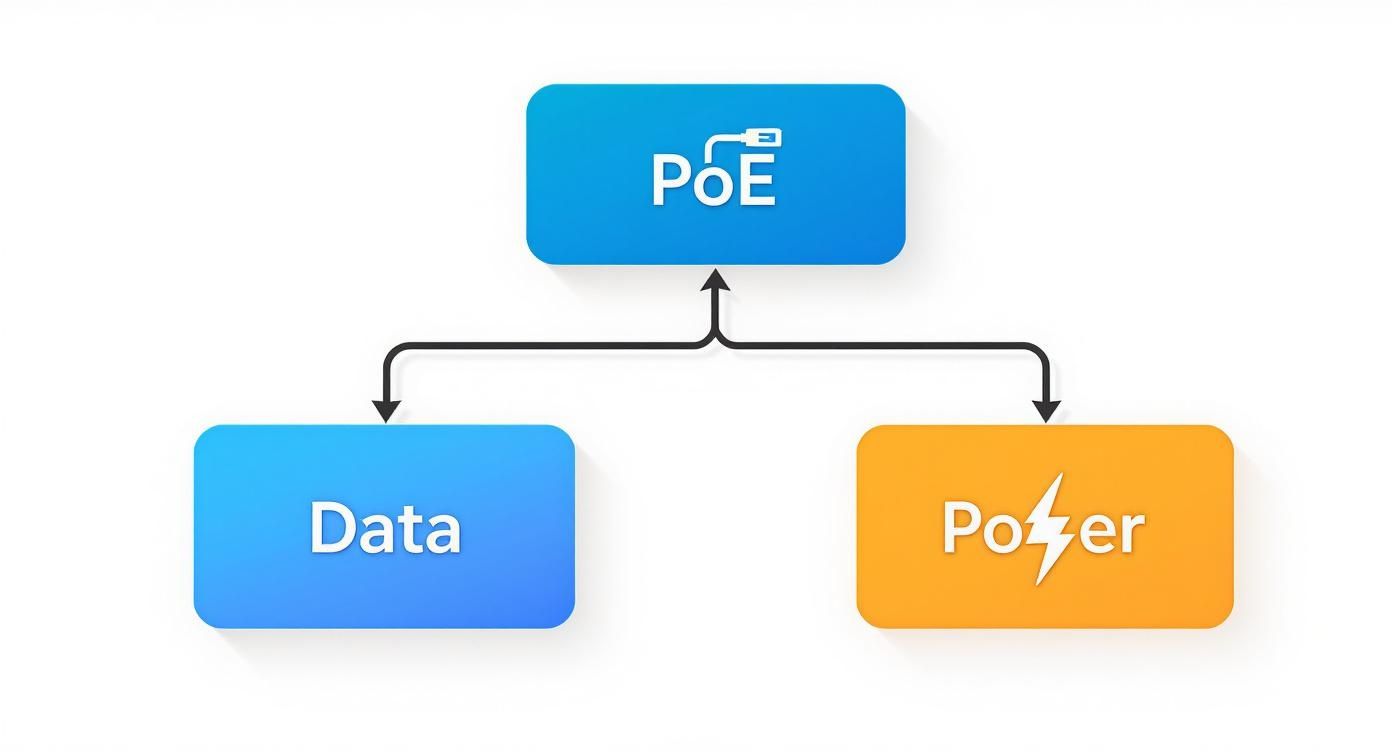
This single-cable approach is what makes installations so much cleaner and simpler.
Type 1: The Original PoE
The standard that started it all back in 2003 is IEEE 802.3af, usually just called "PoE". This was the OG, the standard that first brought this game-changing tech into the mainstream.
It delivers up to 15.4 watts of power from the source (your switch or injector) and guarantees that at least 12.95 watts will arrive at the device itself. That small drop in power is perfectly normal; it's just a tiny bit of energy lost over the length of the cable.
So, what runs on this?
- VoIP Phones: Your standard office desk phone is the perfect candidate for 802.3af.
- Simple IP Cameras: Basic security cameras that are fixed in one position don't need a lot of juice.
- Basic Wireless Access Points: Older or less powerful Wi-Fi access points are often happy with this standard.
Essentially, Type 1 PoE is your go-to for the low-power, foundational gear you find in almost any business.
Type 2: Stepping Up with PoE+
As tech evolved, so did the power demands of our devices. The original standard just couldn't keep up with things like high-performance cameras or the latest Wi-Fi gear. That’s where IEEE 802.3at, or PoE+, comes in.
PoE+ practically doubles the available power, pushing out up to 30 watts from the source and ensuring a solid 25.5 watts gets to the device. This extra grunt opened the door for a whole new class of equipment.
Common devices needing PoE+ include:
- Pan-Tilt-Zoom (PTZ) Cameras: Cameras with motors that let them move and zoom require a lot more power.
- Multi-Radio Wireless Access Points: Modern Wi-Fi 6 access points with multiple antennas need that extra wattage.
- Video IP Phones: Desk phones with colour screens and video calling features fall squarely into this category.
It's worth remembering that PoE+ is backward compatible. A PoE+ switch can safely power a standard PoE device, but a basic PoE switch can't power a more demanding PoE+ device. The switch is smart enough to figure out what the device needs and deliver the right amount.
Type 3 and 4: Powering the Future with PoE++
The latest and most powerful standards fall under the IEEE 802.3bt umbrella, which is split into Type 3 and Type 4. You'll often hear these referred to as PoE++ or sometimes 4PPoE, because they use all four twisted pairs of wires inside an Ethernet cable to deliver power, whereas the older standards only used two.
- Type 3 (PoE++) delivers up to 60 watts from the source, with at least 51 watts available at the device.
- Type 4 (PoE++) is the top dog, offering up to 90 watts from the source and delivering 71 watts or more to the device.
These high-power standards are built for the really demanding stuff. For instance, sophisticated Dante microphone arrays often need the stability of PoE+ or even PoE++ to operate correctly. You can see this in action with gear like the EAM-17DT Dante microphone array we recently started shipping. Other examples include digital signage, network-connected LED lighting, and even some small computers or point-of-sale systems.
PoE Standards At a Glance
To make things a bit clearer, here's a quick reference table breaking down the key differences between the standards.
| Standard (Type) | IEEE Standard | Max Power at Source (W) | Max Power at Device (W) | Common Devices |
|---|---|---|---|---|
| PoE (Type 1) | 802.3af | 15.4 W | 12.95 W | VoIP phones, basic IP cameras |
| PoE+ (Type 2) | 802.3at | 30 W | 25.5 W | PTZ cameras, video phones, Wi-Fi APs |
| PoE++ (Type 3) | 802.3bt | 60 W | 51 W | High-performance APs, AV equipment |
| PoE++ (Type 4) | 802.3bt | 90 W | 71 W | Digital signage, network lighting |
This table should help you quickly match a device's power requirement to the right PoE standard. Ultimately, choosing the right standard is about planning not just for what you need today, but for what you might need tomorrow.
Right, you've figured out which PoE standard your gear needs. The next big question is: how are you actually going to get power to it? This is a fork-in-the-road moment for your network design, and it really comes down to two bits of kit – PoE switches and PoE injectors. Which one you choose depends entirely on the size of your project, what you've already got installed, and where you're headed in the future.
Think of a PoE switch as the central power station for your whole network. It's a proper all-in-one solution, giving you a bank of network ports that all deliver both data and power. This makes it a no-brainer for new builds or major upgrades where you’re connecting loads of powered devices like IP cameras, VoIP phones, or wireless access points. A single switch keeps your equipment rack tidy, puts all your power management in one place, and makes sorting out problems a whole lot easier.
A PoE injector, on the other hand, is more of a tactical, single-shot adapter. It’s a small box that sits between your standard, non-PoE switch and the device you want to power. It takes the data-only signal from your old switch, "injects" the electricity it needs, and then sends the combined power and data down the cable to your device. It's the perfect fix for adding just one or two PoE devices to an existing network without having to rip out a perfectly good (and often expensive) switch.
PoE Switches: The All-In-One Powerhouse
For most commercial audio and AV jobs, a PoE switch is the clear winner. It's a streamlined way to work and gives you a single point of control. When you're rolling out a dozen ceiling speakers, a handful of security cameras, and a few access points, managing them all from one box is far more sensible than trying to wrangle a mess of individual injectors and their wall warts.
Here’s why a switch usually comes out on top:
- Centralised Management: You can see and control the power going to every single device from one screen. Many managed switches even let you remotely reboot a misbehaving camera or access point just by toggling the power on its port. It’s a real lifesaver.
- Scalability: Switches come in all shapes and sizes, from little 8-port models for small offices to massive 48-port units for bigger projects. This makes it easy to plan for adding more kit later on.
- Simplicity: A PoE switch means fewer things to go wrong and a much cleaner install. You only need one mains socket for the switch itself, not a separate one for every injector.
PoE Injectors: The Tactical Upgrade
While switches are the go-to for bigger setups, injectors definitely have their place. Their real strength is in their flexibility and the low cost for sorting out a small, specific need.
Picture this: a client wants to add a single Dante wall plate in a meeting room. The main network switch is miles away in a comms rack and has no PoE. Instead of a costly and disruptive overhaul, you can just pop a simple, cheap PoE injector in the room. It’s a quick, targeted solution that gets the job done with zero fuss.
A quick but absolutely critical point: you need to know the difference between active and passive PoE. Proper, standards-compliant gear uses active PoE. It’s clever – it does an electronic "handshake" to check that the device on the other end is actually a PoE device before it sends any power. This is a vital safety check that stops you from frying non-PoE kit like a laptop. Passive PoE is an older, non-standard bodge that just shoves a constant voltage down the line, no questions asked. It’s a massive risk to your equipment. For safety and peace of mind, always, always choose active PoE.
Planning Your PoE Installation and Power Budget
A successful Power over Ethernet setup doesn't happen by accident. It's all in the planning. Before you even think about plugging a single cable in, you need to nail two things: how much total power your devices will need, and the quality of the cabling you're going to use. Get these right from the start, and you'll save yourself a world of pain, from flickering cameras to unstable connections.
Think of your PoE switch's power budget like the main fuse box in your house. It can only supply so much juice at once. Just like you can't run the oven, kettle, and an electric fire at the same time without tripping a breaker, you can't expect a switch to power more devices than its budget allows. Trying to do so is just asking for trouble.
This is exactly why a bit of forward-thinking is non-negotiable. Your very first job is to add up the power consumption of every single device you want to connect. Do this homework now, and your network will run like a dream from day one.
Calculating Your Total Power Draw
To work out what power budget you need, you have to do a little detective work. Start by making a simple list of everything you'll be powering from the switch—IP cameras, Wi-Fi access points, VoIP phones, Dante audio interfaces, the lot. Next, dig into the tech specs for each device and find its maximum power draw, which is usually listed in watts (W).
Always, and I mean always, use the maximum power consumption figure for your maths, not the average. A PTZ camera, for instance, draws a lot more power when its motors are panning and tilting than when it’s just sitting still. If you budget for that peak demand, your system will stay solid and reliable, even when everything is running flat out.
Here’s a simple way to break it down:
- List All Devices: Write down every single piece of kit that needs PoE power.
- Find Max Power: Check the datasheet for each one and note its maximum power draw in watts.
- Sum the Total: Add up all the maximum power figures to get your grand total.
- Add a Buffer: This is a pro tip. Always add a 20-25% buffer on top of your total. This safety net covers any small miscalculations and, crucially, gives you room to add more devices later without having to buy a whole new switch.
Example Power Budget Calculation
- 4 x Fixed IP Cameras @ 7W each = 28W
- 2 x Wi-Fi 6 Access Points @ 22W each = 44W
- 1 x Dante Wall Plate @ 12W = 12W
- Total Power Needed: 28W + 44W + 12W = 84W
- With 25% Buffer: 84W x 1.25 = 105W
In this scenario, you'd be looking for a PoE switch with a power budget of at least 105W to keep everything running smoothly.
The Critical Role of Ethernet Cabling
Once you've got your power budget sorted, it's time to think about the physical wiring. The type and quality of your Ethernet cable have a massive impact on how well your PoE system performs. While older Cat5e cable might technically do the job, it's really not the best choice for modern kit, especially if you're dealing with higher-power devices.
For any new installations, Cat6 or Cat6a cable is what you should be using. These cables have thicker copper wires inside and better shielding, which gives you two major advantages:
- Less Power Loss: Better quality copper means less electrical resistance, so more of the power from the switch actually makes it to your device.
- Reduced Interference: The improved shielding protects your data from electrical 'noise', giving you a much more stable and reliable connection.
This focus on quality is a big reason the UK market for reliable power delivery is growing. Demand in telecommunications and smart buildings, where running separate power cables just isn't practical, has led to steady growth in the UK’s Power over Ethernet controller market.
Respecting the 100-Metre Limit
Every official IEEE PoE standard has a golden rule: a maximum cable length of 100 metres (328 feet). That distance includes the main cable run plus any shorter patch cables at each end. Trying to push past this limit is a gamble you'll almost certainly lose, leading to a big drop in voltage and a messy, unreliable data signal. When you're planning cable runs for larger venues, like a multi-room audio system, you have to treat this limit as law. Our guide on designing a speaker system for multiple rooms shows how these principles work in a real-world scenario.
If you absolutely have to go further, the proper solution is to use a purpose-built PoE extender. For more complex jobs, bringing in local PoE installation services can ensure everything is set up perfectly. These pros know all the tricks for dealing with challenges like distance limits while sticking to best practices.
PoE in Action: Powering UK Smart Buildings
This is where the theory hits the road. Across the UK, Power over Ethernet is quietly becoming the backbone of modern smart buildings, shifting from a niche tech solution to a fundamental part of intelligent infrastructure design. It’s the magic ingredient that makes deploying connected devices cleaner, more flexible, and far more cost-effective.
From buzzing London offices to new commercial hubs in Manchester, PoE is completely changing how we install everything from security systems to high-end AV gear. The single-cable approach gets rid of the biggest installation headache: finding a nearby mains socket. Now, devices can be placed exactly where they need to go for the best performance, making advanced tech more accessible than ever.
Fuelling Modern AV and Communication Systems
Step into any modern corporate boardroom or university lecture theatre, and you'll find PoE working behind the scenes. It's become the go-to for professional AV installations, providing clean, reliable power to the devices at the heart of any presentation or collaboration space.
Think about the world of AV-over-IP, where audio and video are sent over a standard network. So many of the key components now rely on PoE:
- Dante Audio Interfaces: Need a microphone input on that far wall? No problem. Wall plates and I/O boxes can be installed anywhere you can run a network cable, getting power and sending crystal-clear audio down the very same line.
- PTZ (Pan-Tilt-Zoom) Cameras: These are a must-have for video conferencing and lecture capture. PoE+ provides the extra juice needed to drive the motors for silky-smooth camera movements and zoom functions.
- VoIP and Video Phones: The modern office desk is a much tidier place thanks to phones that draw their power straight from the network port.
The real game-changer here is speed and simplicity. An AV integrator can kit out an entire meeting room using just structured network cabling. Every endpoint connects back to a central PoE switch, and you never have to call an electrician to add more power sockets.
Smart Lighting and IoT Sensor Networks
One of the most exciting frontiers for PoE is smart lighting. Forget complex, high-voltage electrical wiring; PoE-powered LED systems run on safe, low-voltage DC power delivered by standard Ethernet cables. This makes installation a breeze and gives building managers incredible, digital control over every single light fixture.
In the UK, this shift has been massive. PoE-enabled LED lighting is popping up everywhere in commercial and industrial buildings. In fact, the PoE lighting market in the UK is set to grow rapidly, all thanks to the demand for smarter, more energy-efficient solutions.
This network-first approach also makes it dead simple to integrate lighting with other building systems. For example, a PoE occupancy sensor can tell the lights to dim in an empty room while simultaneously telling the HVAC to dial back the airflow, creating a truly responsive and efficient building that saves a serious amount of energy.
Securing Premises with Flexible Surveillance
When it comes to security, PoE is now the undisputed industry standard. Modern IP security cameras depend on it for both power and data, which gives you enormous freedom in where you can mount them.
Imagine trying to secure a large warehouse or commercial property. With PoE, you can install cameras:
- High up on external walls for a bird's-eye view.
- Along perimeter fences hundreds of metres away from the main building.
- In discreet spots inside, like ceilings and corridors.
All this is done with just one Ethernet cable running back to a central switch. It slashes wiring complexity and installation costs, and even lets security staff manage and reboot cameras remotely. Better yet, by connecting the main PoE switch to an uninterruptible power supply (UPS), your entire camera network stays live during a power cut. It's a simple move that adds a huge layer of resilience, making robust surveillance both practical and affordable.
How to Troubleshoot Common PoE Problems
https://www.youtube.com/embed/niqQkXJ0iK8
Even with the most meticulous planning, you can still hit frustrating snags with a Power over Ethernet installation. A device might stubbornly refuse to power on, or maybe a connection keeps dropping out. The good news is, most common PoE problems are surprisingly simple to diagnose and fix with a bit of logical thinking, saving you a world of pain on-site.
Before you start ripping cables out of the wall, let’s begin with the usual suspects. Running through these simple checks first can often solve the problem in minutes, stopping a minor hiccup from escalating into a full-blown headache. Start with the basics and work your way up to the more complex possibilities.
Start with the Power Source
Your first port of call should always be the PoE switch or injector. Nine times out of ten, the problem is an overloaded power budget on the switch. Check the switch's management interface or even just its status lights to see if you’re pushing its maximum power output.
If the budget is maxed out, a switch will often just cut power to the last device connected or the one with the lowest priority. A quick test is to unplug a less critical device and see if your problem device springs to life. If it does, you've found your culprit: a power budget issue. Now you either need to rethink your device load or look at upgrading to a switch with a bit more oomph.
Inspect Your Cabling and Connections
Next up are physical faults, another prime cause of PoE failures. A badly terminated or damaged Ethernet cable can easily stop power in its tracks, even if it seems to pass a bit of data intermittently. You'll want to carefully inspect the entire cable run for any obvious signs of physical damage—think kinks, cuts, or crushed sections.
Pay very close attention to the connectors on both ends. A loose or poorly crimped RJ45 plug is a classic point of failure. If you think the cable is the problem, the quickest way to know for sure is to test the device with a short, known-good patch lead right at the switch. If it powers up, you’ve just confirmed the issue lies somewhere in your original cable run.
Always remember the golden rule of PoE: the absolute maximum cable length is 100 metres (328 feet). That includes the patch cords at both ends. Pushing your luck beyond this limit will cause a serious voltage drop, leading to devices malfunctioning or failing to power on at all.
Verify Device and Switch Compatibility
Finally, don't overlook a simple gear mismatch. It’s a surprisingly common mistake to try and power a high-demand PoE+ (802.3at) device, like a PTZ camera, with an older, lower-power PoE (802.3af) switch. The switch simply can't supply enough wattage, and the device will either fail to boot or behave erratically.
Take a moment to double-check the datasheets for both your powered device and the power source. Make sure the switch or injector meets or exceeds the required PoE standard (PoE, PoE+, or PoE++). This quick check can save a lot of head-scratching and confirm that your hardware is properly matched for a stable and reliable setup.
Your PoE Questions Answered
When you're getting hands-on with Power over Ethernet, a few questions always seem to pop up. Let's tackle some of the most common ones we hear from AV pros and installers, so you can move forward with total confidence.
Can I Plug a Non-PoE Device into a PoE Switch?
Yes, you absolutely can. Any modern, standards-compliant (active) PoE switch is clever enough to know what it's connected to. It performs a quick electronic 'handshake' before sending a single watt of power, just to check if the device on the other end actually needs it.
If the switch detects something like a laptop or a standard network printer that doesn't need power, it simply sends data. It's a smart, safe protocol. The only time you'd ever need to worry is with much older, non-standard passive PoE systems, which are a bit more primitive and send power down the line regardless.
Does PoE Slow Down the Network Connection?
Not at all. The design of PoE is quite ingenious; it delivers power over separate wires within the Ethernet cable to the ones used for data. This means your network speed is completely untouched.
Whether you're running a 1 Gigabit or a 10 Gigabit network, its performance comes down to the quality of your switch and your cabling (like Cat6 or Cat6a), not the presence of PoE. You get full data speed and full power, all at the same time.
What's the Future for PoE in the UK?
The future for Power over Ethernet here in the UK looks massive. As the Internet of Things (IoT) and smart building tech become the norm in both commercial and residential projects, PoE is the backbone that makes it all work seamlessly.
The latest IEEE 802.3bt standard can now push up to 90W of power. This is a real game-changer, opening up possibilities for powering much hungrier devices—think digital signage displays, high-performance Wi-Fi 6/7 access points, and even some thin-client computers. This constant evolution is only going to simplify infrastructure for UK businesses and homes even further.
At Epic Audio Ltd, we provide the specialised PoE switches, Dante-enabled audio equipment, and expert advice you need to deliver flawless installations. Explore our complete range of commercial AV solutions or contact our team for free project design support.